Interact system
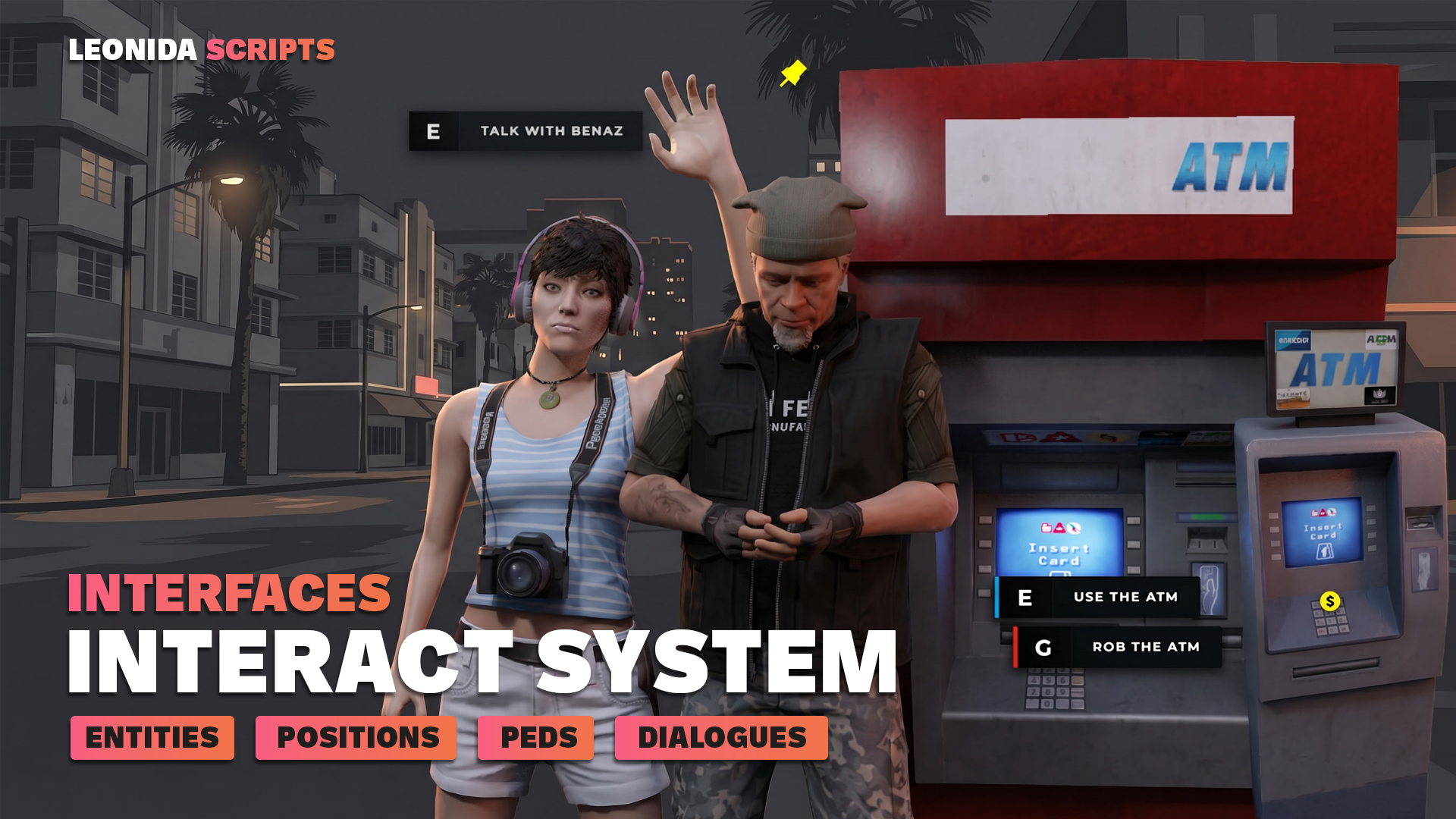
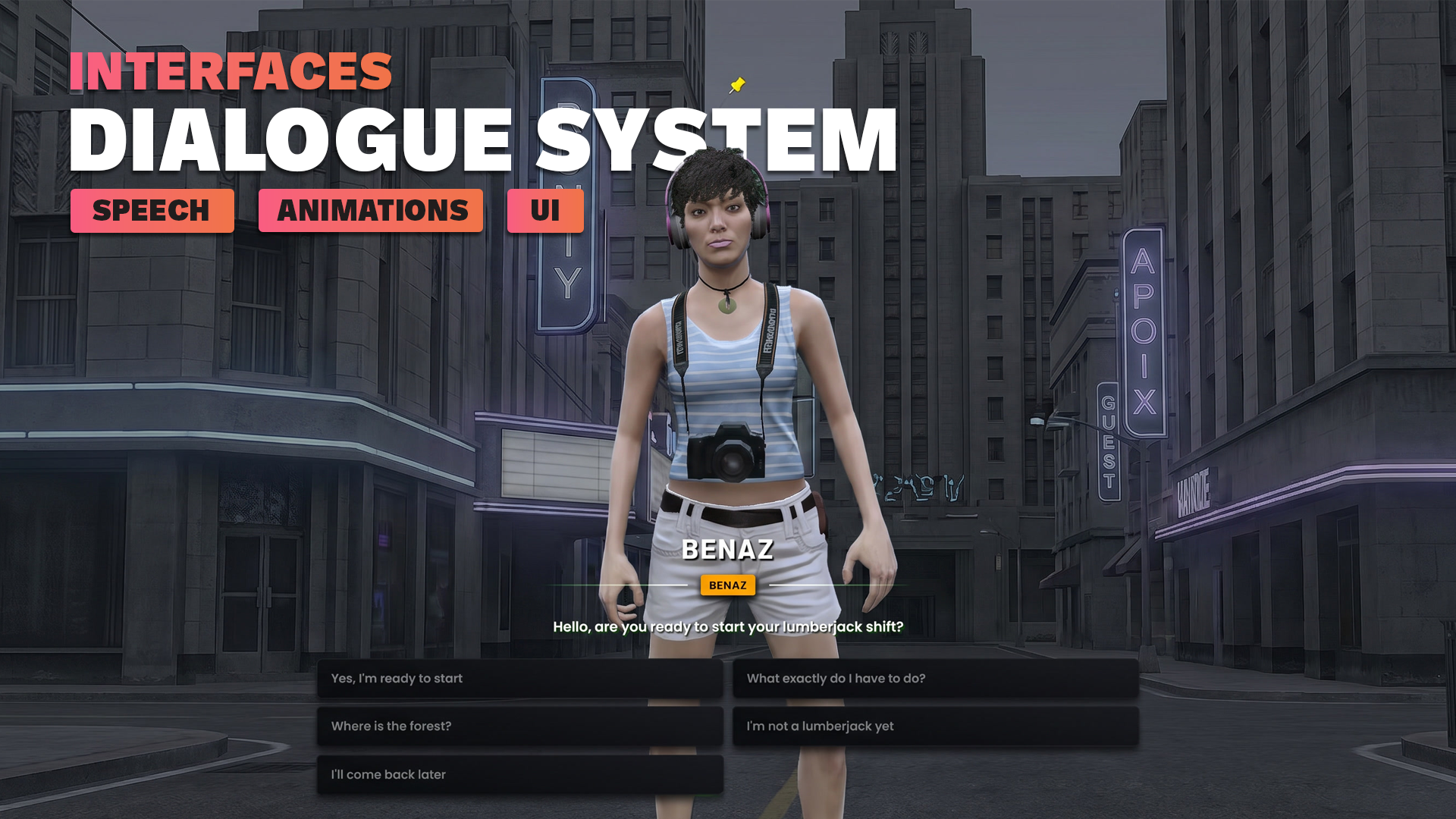
3D interaction system + NPC dialogue engine. Create interaction points anywhere on the map — on an entity, a free point, or even an NPC. Configure interactions however you like (examples included).
What it does
Three core exports
Three clear exports cover every use case — positionRegister (fixed coordinates), entityRegister / entityRegisterByHash (live entities, auto-discovery of props by model hash), pedRegister (spawns a fully configured NPC including animations).
Technical
specifications
Everything you
get
-
Fully open configs
All config files (positions, entities, peds) are editable in production without touching the compiled binary. Drop your own POIs in 30 seconds.
-
Ready-to-use examples
Showcase of the 26 icons, ATM watcher by hash, scripted NPC dialogue, multi-bind lapdance. Copy-paste to get started in 2 minutes.
-
Discord support + lifetime updates
Access to the support channel, plus all free updates as long as the script exists. No hidden « premium tier ».
Integration guide
Installation
-
Drop the resource
Download the script from your Tebex account after purchase, then copy the
leonida_interact/folder intoresources/[leonida]/on your server. -
Enable in server.cfg
Add
ensure leonida_interactto yourserver.cfg, after theensure ox_libline to keep dependency load order correct. -
Configure demos (optional)
Edit or remove the demo files in
config/(ATM, lapdance, NPC Benaz). They stay active as long as you don't remove them fromfxmanifest.lua. -
Test live
Start the server. Type
/restart leonida_interactin-game to test a hot reload — hint icons disappear and come back cleanly, without restarting the session.
Quickstart
Your first interaction point in 30 seconds
Create a `myscript/client.lua` file in your own resource and paste this code. A cyan icon appears at 30m, the « E - Hello » prompt activates at 2m. No dependency other than `leonida_interact` itself.
-- myscript/client.lua
exports.leonida_interact:positionRegister({
    coords      = vec3(-265.0, -963.6, 31.2),
    showIcon    = 30.0,           -- icon appears from 30m
    canInteract = 2.0,            -- prompt activates at 2m
    hintIcon    = 'interact',     -- see the icon catalog below
    hintColor   = '#22d3ee',      -- hex or alias ('red', 'blue', 'green', ...)
    message     = 'Hello',
    bind        = 'E',
    onInteract  = function()
        TriggerEvent('chat:addMessage', { args = { 'Hello, world!' } })
    end,
})API Reference
Public exports grouped by domain. Each row shows the call signature and what it does — not how it does it.
Interact Points
- positionRegister
exports.leonida_interact:positionRegister(cfg) -> idRegisters an interaction point at fixed coordinates. Accepts every visual field (hintIcon, hintColor, showIcon, canInteract, blips) plus `choices[]` to expose multiple binds on the same point. Returns an id usable later for manual cleanup.
- pedRegister
exports.leonida_interact:pedRegister(cfg) -> idSpawns a fully configured NPC (model, animation/scenario, blip), attaches an interaction point on it and returns an id. The NPC is invincible, won't flee, won't ragdoll — same behavior as a native quest-giver. Auto-despawns once the player moves more than 50m away.
- entityRegister
exports.leonida_interact:entityRegister(cfg) -> idAttaches an interaction point onto an existing entity (passed via `cfg.entity`). Supports bone attachment via `cfg.bone`. Ideal for interacting with an entity spawned by another script (vehicle, dynamic prop).
- entityRegisterByHash
exports.leonida_interact:entityRegisterByHash(hash, cfg)Passive watcher: registers a config that will apply to every present or future entity matching a model hash. A single global watcher thread regardless of hash count. Perfect for ATMs, vending machines, etc.
- interactCreate
exports.leonida_interact:interactCreate(cfg) -> idDynamic variant of positionRegister without coordinate cache. Use it when the point can be created and removed on demand (temporary mission, dropped object on the ground).
- interactRemove
exports.leonida_interact:interactRemove(id)Removes a point created by `interactCreate`. Also cleans up the associated blip if any.
- entityRemove
exports.leonida_interact:entityRemove(id)Detaches the interaction point from an entity (returned by `entityRegister`). Does not delete the entity itself.
- unlockLastInteract
exports.leonida_interact:unlockLastInteract()Re-enables the last point that was locked while an action is in progress. Call at the end of an animation to let the player interact again (e.g. end of a lapdance, end of a search).
Text UI 3D
- HandleTextUI
exports.leonida_interact:HandleTextUI(id, data) -> duiHandlerCreates or updates a standalone 3D interaction bubble (without an interaction point). Use it if you want to control visibility yourself via a custom thread. Returns a duiHandler to pass to `Draw3DSprite`.
- CloseTextUI
exports.leonida_interact:CloseTextUI(id)Closes a TextUI bubble but keeps the DUI in memory for fast reopening.
- RemoveTextUI
exports.leonida_interact:RemoveTextUI(id)Fully removes a TextUI bubble and frees DUI memory. Call when you know the bubble will never be reused.
- RemoveTextUIs
exports.leonida_interact:RemoveTextUIs()Removes all active TextUI bubbles. Called automatically on resource stop.
- Draw3DSprite
exports.leonida_interact:Draw3DSprite({ duiHandler, coords, maxDistance, hintOnly? })Draws the 3D bubble in world space inside a render thread. If `hintOnly = true`, only the small indicator dot is shown without the full prompt — useful for the long-distance transition.
- IsDuiVisible
exports.leonida_interact:IsDuiVisible() -> booleanReturns `true` if a TextUI bubble is currently visible to the player. Useful to block other prompts while an interaction is active.
Hold-to-interact
- HandleHoldTextUI
exports.leonida_interact:HandleHoldTextUI(id, data) -> duiHandlerCreates a « hold the key » prompt. `data` accepts `BindToHold`, `TimeToHold` (sec), `DistanceHold`, `Coords`, `onCallback(id)` and `canInteract(id, dist) -> boolean`. The progress bar UI is handled natively.
- CloseHoldTextUI
exports.leonida_interact:CloseHoldTextUI(id)Closes the UI of a hold without destroying the instance. Use it to cancel cleanly when the player exits the zone.
- RemoveHoldTextUI
exports.leonida_interact:RemoveHoldTextUI(id)Fully removes a hold instance. The DUI is freed.
- RemoveHoldTextUIs
exports.leonida_interact:RemoveHoldTextUIs()Removes all active hold instances.
Recipes
Real-world copy-paste examples. Drop into your own resource, tweak the values, ship.
The simplest case: an interaction point at fixed coordinates, with a map blip. Icon appears at 30m, prompt activates at 2m. Drop in any client-side resource.
exports.leonida_interact:positionRegister({
    coords      = vec3(149.5, -1040.4, 29.4),
    showIcon    = 30.0,
    canInteract = 2.0,
    hintIcon    = 'bank',
    hintColor   = 'blue',
    message     = 'Use the ATM',
    bind        = 'E',
    onInteract  = function()
        TriggerEvent('myserver-banking:openATM')
    end,
    blips = {
        sprite  = 277,
        color   = 2,
        scale   = 0.8,
        text    = 'ATM',
        display = 4,
    },
})Troubleshooting
- Check the player is within `showIcon` range (default 8m). If you use `entityRegister`, the entity must exist at call time: `entityRegisterByHash` is more robust for native game props. Also check that `hintIcon` matches an icon from the catalog (otherwise fallback `pin`).